
How to Sponsor Jobs on LinkedIn
Send LinkedIn applicants straight to your pipeline.
When you sponsor a job on LinkedIn, you can direct applicants to your HuntYourTribe ATS to use automations and AI scoring. This guide shows you how to set up LinkedIn job sponsorship while managing applications through ATS.
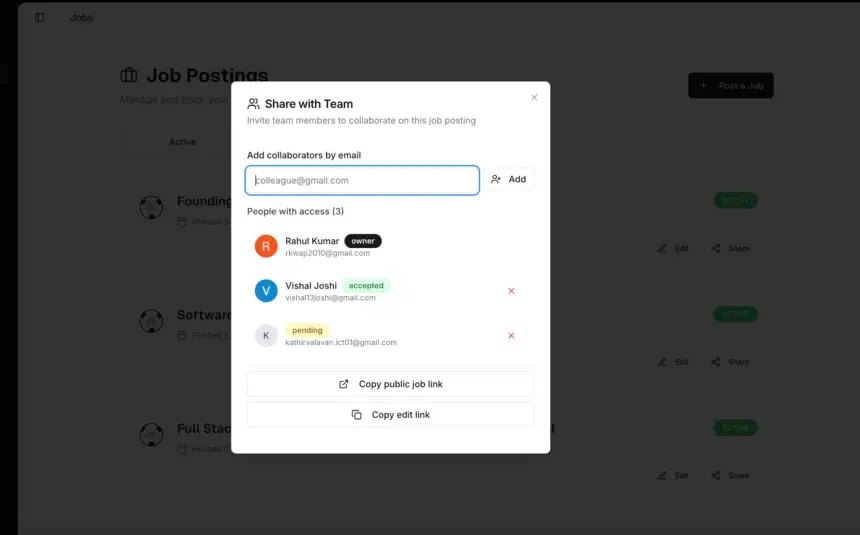
Step 1 - Every job has shareable link
- Go to Jobs tab
- Create a new job post
- Every job post comes with public shareable link
- Copy job link
Step 2 - Post Your Job on LinkedIn
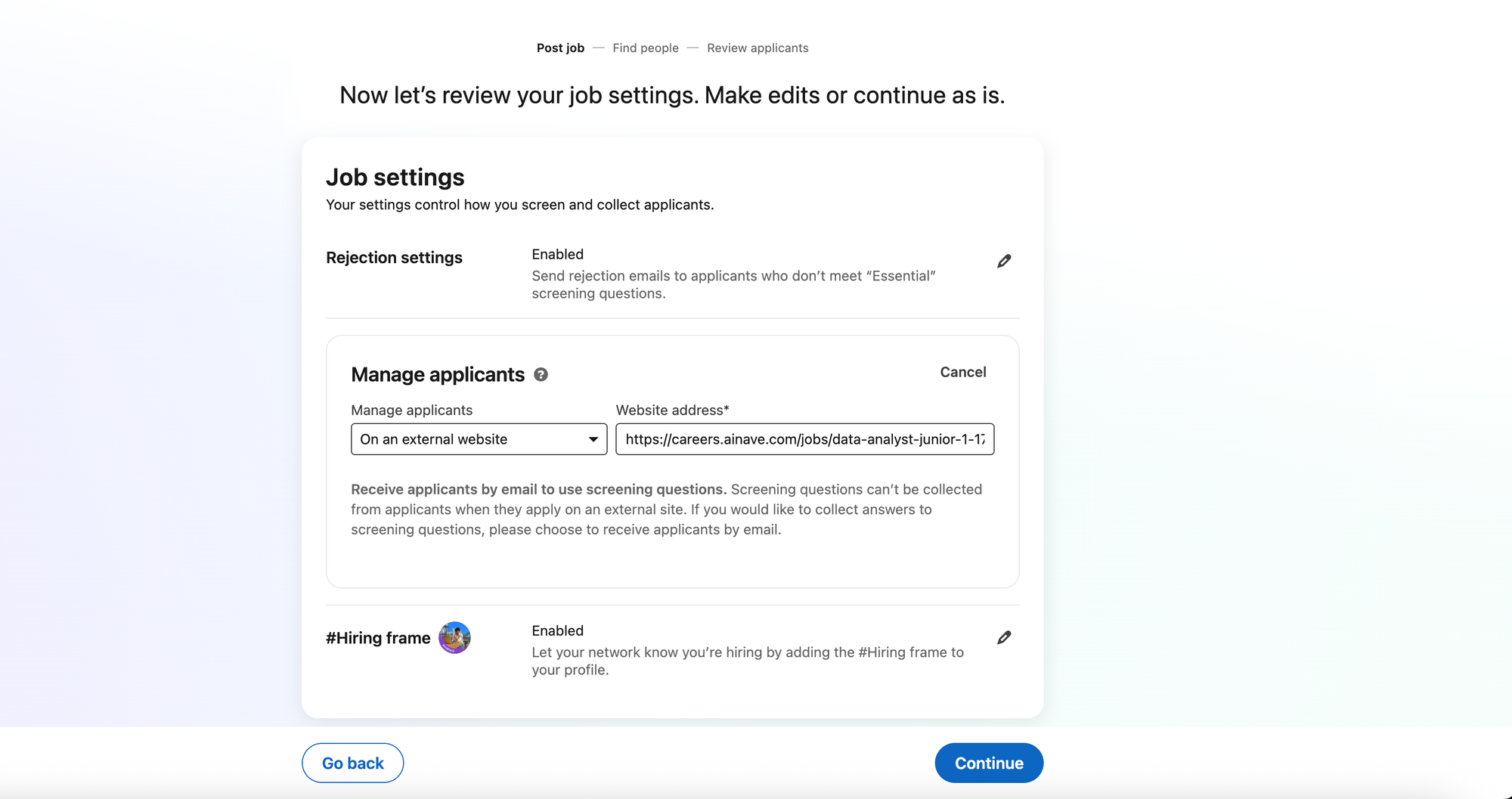
- Go to LinkedIn and create a new job post
- Fill in your job details (title, description, requirements)
- When choosing how to manage applicants, select "On an external website"
- Paste your job link as the website address
- Complete your job posting
Step 3 - Sponsor Your Job on LinkedIn
- After posting your job, choose to sponsor it through LinkedIn
- Set your budget and targeting preferences
- Launch your sponsored job campaign
How Applications Work
When you sponsor a job on LinkedIn with HuntYourTribe integration:
Candidate experience:
- Job seekers find your sponsored job on LinkedIn
- They click the Apply button
- They're directed to your public job link page
- They complete the application on your HuntYourTribe ATS
Your benefits:
- All applications flow into your HuntYourTribe account
- You can now leverage all features of ATS to manage whole hiring pipeline
- Automations apply to LinkedIn candidates automatically
When to Sponsor Jobs on LinkedIn
Staffing agencies (Required): According to LinkedIn's policies, staffing and recruiting agencies cannot post free jobs on LinkedIn and must sponsor their job posts.
On-site positions: On-site and office-based jobs typically receive fewer applications than remote jobs. Sponsoring helps these positions get more visibility and applicants. Remote positions usually receive many applications even with LinkedIn's free Basic option.
Competitive markets: When hiring for competitive roles or in markets with many similar job postings, sponsorship increases your visibility.
Still stuck? Contact us and tell us what you're trying to do.